Smart Scheduler

Smart scheduler that converts conversations into appointments

MireIA helps collect service, date, time, and customer details within the conversation, maintaining context and avoiding promising availability before confirmation.

Problem

Booking via messages takes time and causes confusion

When a customer wants an appointment, the conversation usually goes back and forth: service, date, time, name, phone, and last-minute changes. If any detail is missing, your team ends up doing manual follow-ups.

  • Customers writing 'tomorrow afternoon' without giving all the details.
  • Requests mixed with questions about price, duration, or requirements.
  • Appointments that cannot be confirmed without checking real availability.
  • Lost operating time in collecting basic information.

How MireIA helps

MireIA organizes the request before sending it for confirmation

The smart scheduler converses with the customer, detects booking intent, asks for one detail at a time, and keeps the flow even if the user asks side questions.

  • Collects service, date, time, name, and contact details when needed.
  • Answers brief questions during the flow and returns to the pending appointment.
  • Does not confirm availability without validation from the system or the team.
  • Reduces incomplete messages before they reach reception or sales.

How it looks in operation

Two spaces to display functionality

Customer conversing with MireIA to request an appointment

Asks for one detail at a time

The flow remains clear: first it identifies the service, then the date or time, and then the contact details your business needs.

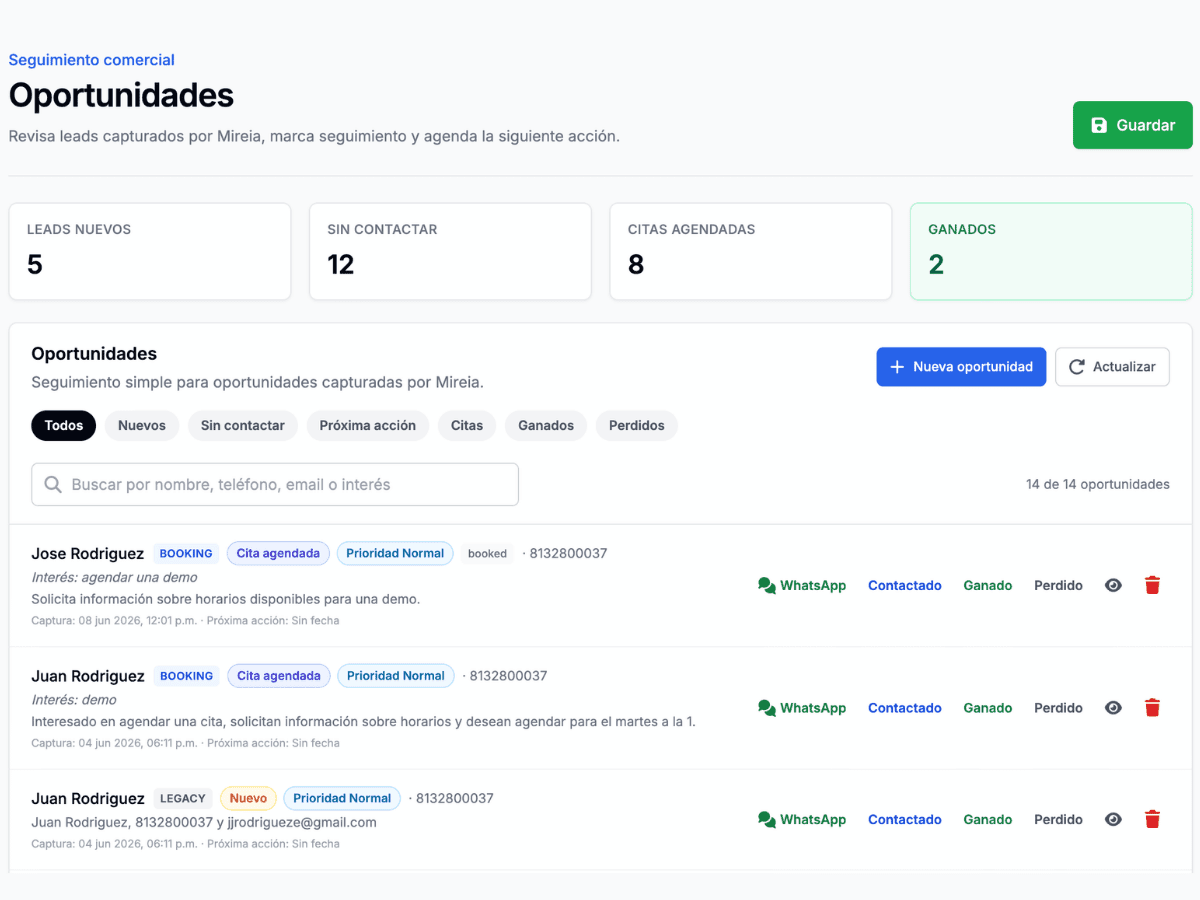
Scheduler panel with organized requests for follow-up

Requests ready to review

Each conversation leaves more context for your team, reducing repetitive questions and preventing a potential appointment from being lost.

Use cases

Concrete actions for your business

Request appointments for clinics, salons, workshops, consultancies, or professional services.

Ask for preferred date and time without losing the conversation context.

Answer a price or duration question and continue the scheduler flow.

Collect contact data before the team confirms.

Prepare reservation requests outside business hours.

Frequently asked questions

What you should know before activating it

Does MireIA confirm appointments automatically?

Only if it is connected to a flow or system that confirms availability. Otherwise, it collects the request and leaves it ready for follow-up.

What data can it request for an appointment?

It can request service, date, time, name, phone, email, and notes when your business requires it.

What happens if the customer asks a question during scheduling?

MireIA can answer the question if it has the information and then return to the pending appointment details.

Does it work for different types of businesses?

Yes. The flow can be adapted for appointments, reservations, assessments, diagnostics, meetings, or hourly services.

Next step

Try this feature in a guided demo

See how MireIA can handle, organize, and convert real conversations for your business.

Create free demo